
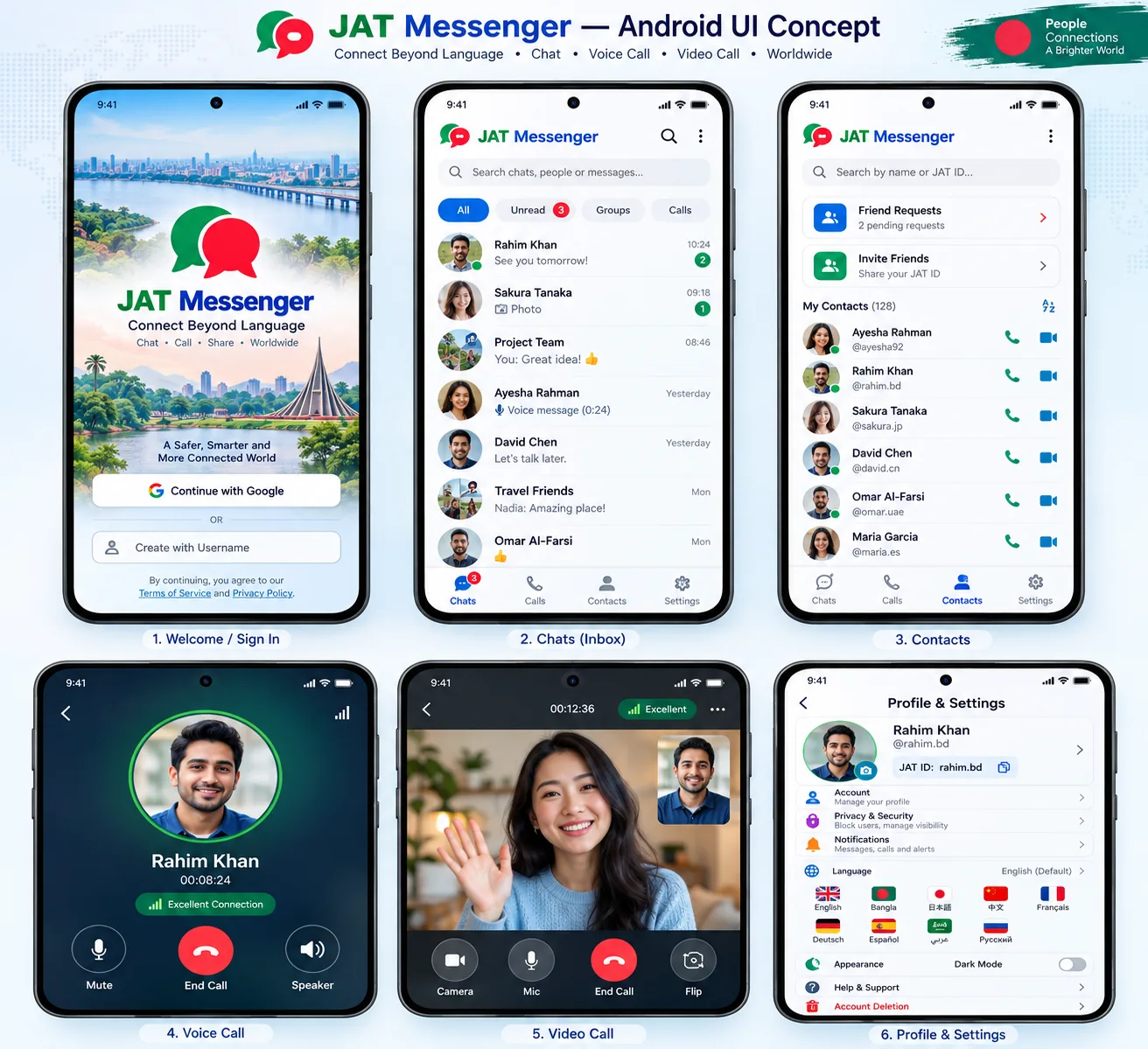
JAT Messenger
DEMO ONLYYour chats 💬
Select a sample conversation
Your contacts 👥
Click a contact to preview the call screen.
Rahim Rahman
Simulated local-only messages
SIMULATED CALL · NOT CONNECTED
RR
Voice call preview
No microphone or network is accessedProfile & Settings
Your JAT ID
JAT-7Q2M8 (example)
Display nameWhatever name you prefer
Optional username@your.choice if available
Nine planned languages
English · বাংলা · 日本語 · 中文 · Français · Deutsch · Español · العربية · Русский
Settings shown here are examples, not saved preferences.
Interactive concept
Try JAT Messenger
Browse realistic sample screens, type messages that stay only in this browser session, and preview what the calling interface could look like.
Not a working communication service. Login, messaging, audio, video, notifications and backend APIs are not connected.
What you can explore
1
Chats
Open sample conversations and write temporary demonstration messages.
2
Contacts
Choose an example person using the planned JAT contact layout.
3
Call interface
See the mock incoming/active call controls; no real phone connection is established.
4
Profiles
See how editable display names and automatically assigned account IDs differ.